From AI Visibility Audit to CMS Fix List: How Content Teams Turn Findings Into Action
An AI visibility audit can show where your brand is missing from tested answers, where an outdated page was cited, or where competitors appear for questions your customers ask. That is useful information. But once the report lands in your inbox, someone still has to make the website better.
I look at this from the content publishing side. A finding has little value until we can point to a page, name the problem, assign the right person, publish a sensible correction, and check what changed. Otherwise, the audit becomes another presentation that everyone agrees with and nobody acts on.
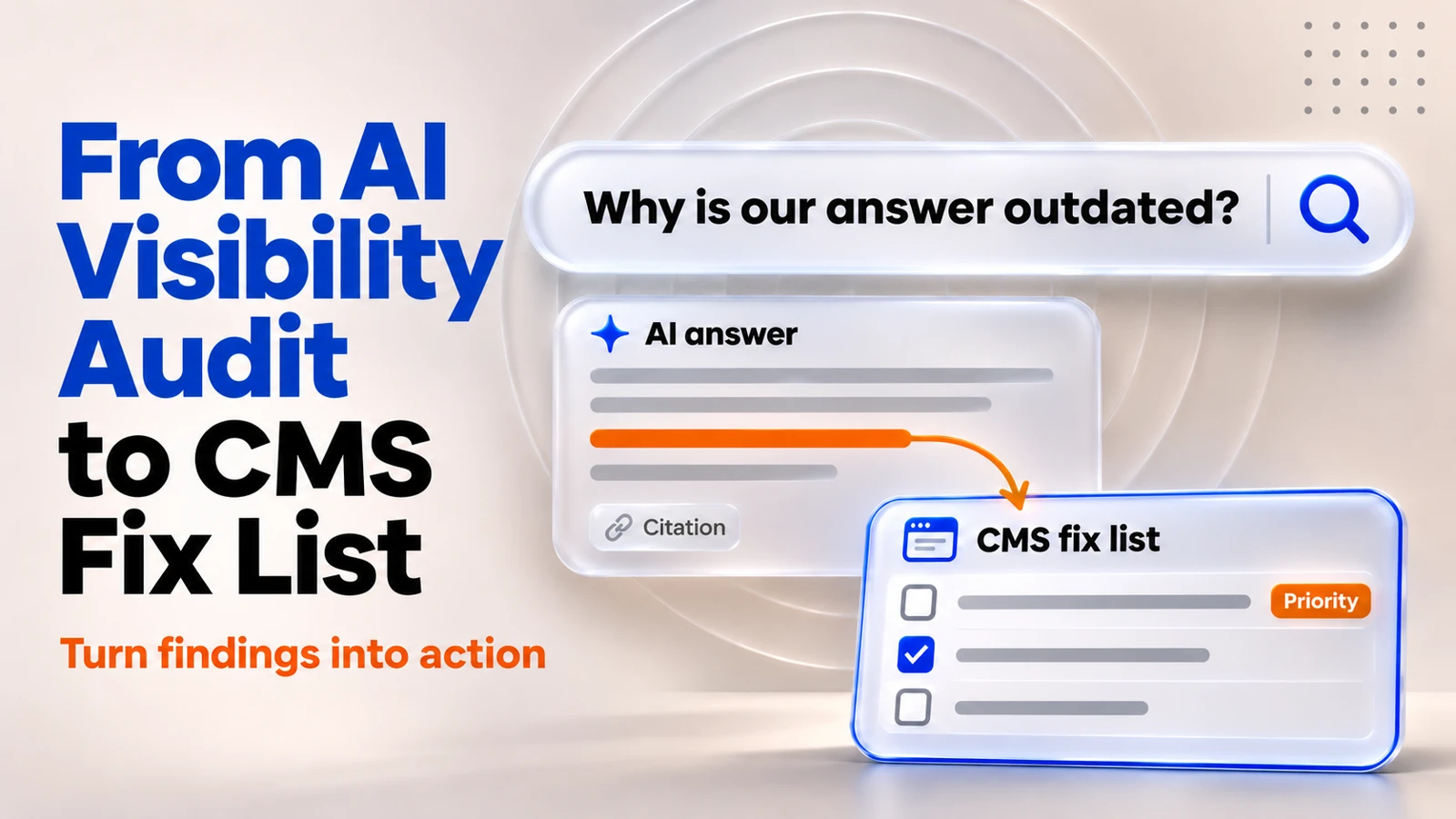
The short answer: Turn each AI visibility finding into a clear next action, whether that is a CMS update, a technical fix or a decision to investigate further. Save the original evidence, verify the source of the problem, decide what you can realistically change, assign an owner, run publishing QA, and measure the result. Some findings need content edits. Others need technical SEO, product clarification, or external authority work. Not every missing citation is a website defect.
What an audit can tell you, and what it cannot
A useful audit might reveal that an AI assistant cites an old support article, misses a newly launched product feature, or answers a comparison question using third-party sources while ignoring your own documentation. It might also show that a page is already cited for some questions but not others.
That evidence is a starting point, not a diagnosis. AI answers vary by platform, prompt wording, location, time, and sometimes user context. A single screenshot does not establish a reliable ranking, and a low third-party visibility score is not, by itself, an instruction to rewrite a page.
I separate the work into four buckets: content accuracy, page clarity, technical discoverability, and external-source gaps. The first two are usually content-led. Technical discoverability needs collaboration with SEO or development. External-source gaps may involve credible third-party references that your CMS team cannot manufacture.
How to Turn an AI Visibility Audit Into Actionable CMS Tasks
Use these six steps to turn AI visibility audit findings into a practical CMS fix list. Start with the evidence, identify the real page problem, prioritise the work and assign clear ownership. Then publish approved changes with quality checks and measure website fixes, search visibility and business outcomes separately.
Step 1. Keep the evidence, not just the audit score
Before anyone edits the website, I want the actual question and answer in front of the team. A red icon beside “AI visibility” is not enough. We need to understand what a customer might have seen and why the finding matters.
- Record the exact prompt, including relevant product or service terms, rather than paraphrasing it later.
- Note the platform, date, country and language, plus any testing context that could affect the result.
- Save the answer and cited URLs as screenshots or exports, including the passages that appear inaccurate or incomplete.
- Write the expected, verified answer, with its supporting internal source or approved product document.
- Link the finding to a business question, such as product selection, support, pricing, safety, or vendor comparison.
If the finding concerns a factual error, capture the approved source first. An attractive rewrite is not a fix if nobody has validated the underlying claim.
Step 2. Find the real website problem
Next, open the live page, not just its entry in the CMS. Compare what the audit reported with what the website actually says today. Sometimes the article is clear, but the AI answer relied on an old third-party page. Sometimes the live content is wrong. Those are different problems and should not receive the same ticket.
Four diagnoses that lead to different actions
| Finding | What to check | Likely next move |
|---|---|---|
| Outdated or conflicting claim | Which published URL and approved source disagree? | Correct the live content, identify stale copies and document the change. |
| Important answer is hard to find | Is the answer buried, ambiguous or split across multiple pages? | Clarify the relevant section and connect supporting pages. |
| Page is difficult to discover | Is the URL indexable, canonical, internally linked and available to crawlers? | Route the technical issue to SEO or development before rewriting. |
| AI prefers external sources | Does the first-party page already answer the question accurately? | Improve evidence where needed; consider credible external-source work separately. |
This is also where we avoid producing unnecessary new content. If one good page already owns the subject, improving that page is often better than creating a second article targeting the same question. Duplicate pages give the team more to maintain and can confuse readers.
Step 3. Prioritize by reader impact, not by the loudest dashboard warning
Not every missing mention deserves an urgent edit. I would fix a wrong product or compliance statement before chasing a citation for a broad, low-intent question. The first can mislead a buyer. The second may be a visibility opportunity, but the cost of being absent is less clear.
A simple priority rule works well: How important is the question? How certain are we about the problem? Can our team actually address it?
| Priority | Example | Decision |
|---|---|---|
| P1: accuracy or risk | AI answer repeats an outdated specification found on our own live page. | Validate source and correct affected content promptly. |
| P2: clear operational opportunity | A high-intent comparison question leads to a thin or confusing first-party page. | Improve that page and its supporting links. |
| P3: test and learn | A correct page is indexed, but the brand is absent from one tested AI answer. | Gather more observations before editing. |
A missing citation is not automatically a P1. It becomes urgent when it exposes a real information problem or material customer risk.
Step 4. Convert the finding into a CMS-ready task
This is the step many audits skip. The person writing the report might know what is wrong, while the editor opening Sitecore, Webflow, AEM, or Contentful still has to guess what to change. A good ticket removes that guesswork.
Every request should answer three practical questions: Which URL? What exactly changes? What counts as done?
| Ticket field | Example of useful detail |
|---|---|
| Evidence | Prompt, platform, date, screenshot, cited URL and verified source. |
| Page and scope | Canonical URL, CMS item or entry, impacted locale or site. |
| Requested edit | Replace obsolete feature statement in section 3, based on approved documentation. |
| Ownership | Content editor, source owner, SEO reviewer and final approver. |
| Acceptance criteria | Fact checked, internal links reviewed, preview approved, change published and URL verified. |
| Recheck plan | Repeat the baseline questions on agreed platforms after a sensible observation window. |
I also add a status that explains why a finding is not moving: needs source confirmation, ready to edit, in review, published, monitoring, or not actionable in the CMS. “Pending” is too vague. It hides whether the team is waiting on a decision or simply has not started.
A worked example: the audit found the old answer
Consider a fictional B2B software company. Its product documentation now explains that an integration supports scheduled synchronization. An older comparison page still describes a manual export. During an audit, an AI answer cites the old page and tells a prospect that the integration requires manual work.
I would not ask the writer to add more keywords or publish a fresh “best integrations” blog. I would handle it as a content accuracy issue:
- Ask the product owner to confirm the current integration behavior and approved wording.
- Find the stale comparison page and any related pages that repeat the old statement.
- Update the existing canonical page, add a clear source-backed explanation, and repair relevant internal links.
- Check the preview, publish the approved update, and record the CMS change and publication date.
- Verify the live URL and revisit the same AI question later, while acknowledging that the AI answer may not update immediately.
Illustrative scenario only: This is not a Digiteins client case study, and no improvement in AI citations is being claimed. The point is to show how a vague audit finding becomes a specific, testable publishing task.
Step 5. Publish properly, then check the live result
For an audit-led change, the final check must happen on the live website. The editor may have updated the right field but missed a secondary site, language version, preview dependency, or linked product page. That is why a completed CMS ticket and a verified live correction are not the same thing.
My publishing checklist is deliberately practical:
- Check the live heading, answer text, facts, links and any referenced source material.
- Review the correct language, site and page variant, especially in multi-market environments.
- Confirm the intended canonical URL and indexability; involve the technical owner if robots rules, redirects or rendering are in question.
- Make sure any structured data reflects what a visitor can actually read. Do not add schema just to chase an AI citation.
- Save the published URL, approval record and QA outcome in the ticket.
Google says that ordinary SEO fundamentals still apply to AI Overviews and AI Mode. Its published guidance does not require special AI schema, an llms.txt file, or writing pages in artificial “AI chunks.” What helps is useful original content, crawlable pages, clear information and sound technical foundations.
If a changed page matters to search performance, use Search Console URL Inspection to check it. You can request a recrawl, but Google makes clear that a request is not a guarantee of immediate indexing or ranking changes.
Step 6. Measure three separate outcomes
I would avoid one combined “AI visibility improvement” number. It can make a campaign look successful while hiding whether the website actually improved. Instead, track operations, discovery and business outcomes separately.
| Measurement layer | What to track | What it tells you |
|---|---|---|
| 1. CMS execution | Actionable findings, approved edits, published fixes, QA pass rate, days to resolution. | Did the team improve the underlying website? |
| 2. Search and AI visibility | Organic search data, eligible generative-feature impressions, cited URLs, prompt observations, AI-referral sessions where identifiable. | Did discoverability signals change? |
| 3. Business results | Engaged visits, relevant page journeys, demo requests, qualified enquiries or other agreed conversions. | Did the change support a useful business outcome? |
What real reporting can tell us in 2026
Google introduced dedicated Search Generative AI performance reports in Search Console in June 2026 and completed the worldwide rollout by August 31. The reports show impressions within generative features, along with page, country, device and time views. That is better than guessing from screenshots, but it is not a report of every prompt that caused a citation.
Bing Webmaster Tools introduced an AI Performance report in public preview in February 2026, covering supported Microsoft AI experiences. It includes citation counts, cited pages and grounding queries. In June, Microsoft expanded its preview with intent, topic, citation-share and comparison insights. These numbers describe activity within the supported surfaces, not universal visibility across every AI assistant.
Google Analytics 4 can help us analyze engaged sessions and outcomes from identifiable referral sources. Manual prompt checks can add context. I would keep those manual observations in a separate column rather than merge them into an invented market-wide score.
For example, a useful weekly update might say: “Nine audit findings were reviewed; five content changes are live, two need product confirmation, and two are outside the CMS scope. Search and AI visibility are still being monitored.” That is a hypothetical reporting illustration, not campaign performance data. It is also more actionable than saying visibility increased by an unsupported percentage.
A realistic 30-day operating rhythm
This does not have to become a large new process. I would start with one owner, a short weekly review, and a shared tracker.
| When | What the team does |
|---|---|
| Days 1 to 5 | Select meaningful prompts, collect evidence, verify first-party sources and triage findings. |
| Days 6 to 12 | Assign owners, implement the highest-confidence CMS fixes, review with subject-matter experts. |
| Days 13 to 20 | Publish approved changes, complete live QA and check technical discovery where relevant. |
| Days 21 to 30 | Review Search Console, Bing and analytics signals; repeat selected AI checks; record what remains uncertain. |
The dates are a suggested workflow, not a promise about how quickly an AI answer or search result will change. Some systems may refresh quickly. Others may take much longer or keep citing sources beyond our control.
Who should own the work?
I would keep responsibilities close to the work. The SEO or AI visibility specialist identifies patterns and helps interpret them. The content owner verifies facts and decides what the page should say. The CMS editor makes the approved change. Technical specialists handle crawl, indexing and implementation problems. Analytics tracks outcomes. Someone has to coordinate the entire loop.
The crucial point is one ticket, one next action, one accountable owner. The work can pass between specialists, but the finding should never disappear between teams.
The point is not to win one AI answer
When I look at an AI visibility audit, I want it to make the website more accurate and useful even if the next AI response still does not cite us. That is a reasonable test of whether we are doing valuable work.
Yuvraj Kasture makes a similar point in Why Enterprise Content Operations Matter More in the Age of AI: as AI speeds up production, the bottleneck moves from creation to coordination, governance and quality. An audit-to-fix workflow is one small, concrete piece of that coordination.
Start with the questions customers actually ask. Fix verifiable content problems. Publish with care. Measure what the available tools can genuinely show. Then repeat the process as the website, products and search experiences change.
An audit points at the gap. Content operations closes the part of the gap we can control.

Check the evidence behind the highest-impact finding. Save the original prompt, AI answer, cited URLs, date and region. Then compare the answer with the current live website and an approved source. Only after that should you open a CMS task. A missing mention may not require a content change, but a wrong statement on your own site does.
Start with the search intent and the current canonical page. If an existing page already answers the question, correct or strengthen it. Create a new page only when the subject is distinct enough to help readers independently. Avoid publishing multiple near-identical articles just to target different prompt wording.
No. Clear headings, useful answers and appropriate structured data can improve the usability and interpretation of content, but they do not guarantee inclusion in AI-generated answers. Google specifically states that no special AI schema or llms.txt file is required for its generative search features. Use structured data only when it accurately describes visible content and supports a legitimate search feature.
There is no reliable universal timeline. Search crawlers must first discover and process the new content, and AI systems may choose other sources. Check that the live update is correct, verify indexability where relevant, and compare observations over time. Google explicitly says that requesting a recrawl does not guarantee immediate indexing.
Track three things together: whether the website issue was resolved, whether discoverability indicators changed, and whether relevant visitors took useful actions. Use CMS ticket completion and QA records for the first; Search Console and supported Bing AI reporting for the second; analytics and qualified enquiries for the third. Avoid presenting manually checked prompts as a statistically complete measure of AI visibility.